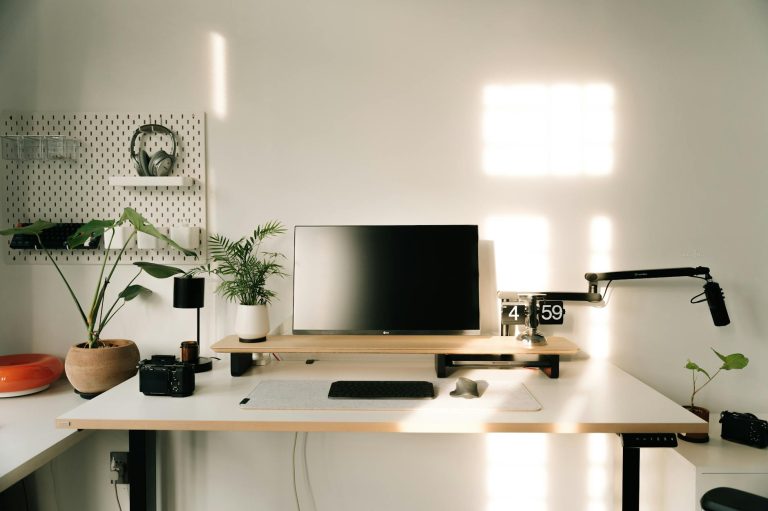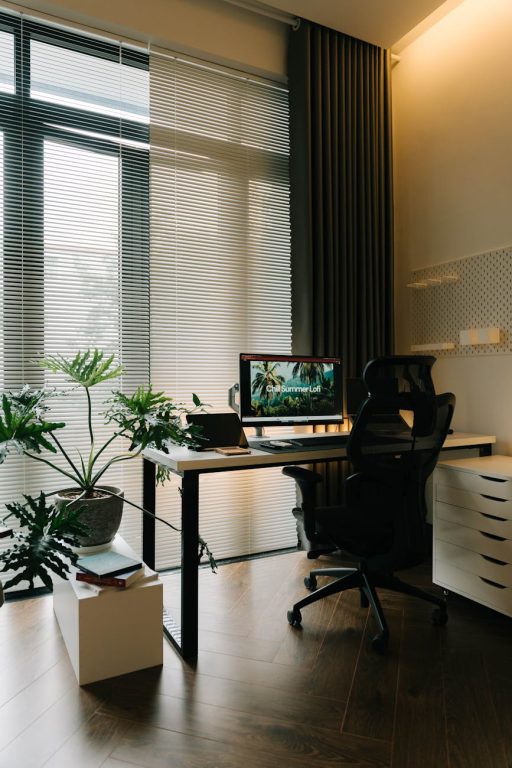

Creating a home office that is both clutter-free and productive can significantly improve your work experience and efficiency. Whether you work remotely full-time or occasionally need a quiet spot for focused tasks, organizing your space thoughtfully makes a big difference. Below, you’ll find practical tips to design and maintain a home office that supports your best work.
Why a Well-Organized Home Office Matters
A cluttered workspace can lead to distractions and increased stress, making it harder to concentrate and complete your tasks efficiently. On the other hand, an organized desk and office environment help foster focus, creativity, and a professional mindset even when working from home.
Step 1: Choose the Right Spot
Consider Natural Light and Noise Levels
Select a location in your home that has good natural light to reduce eye strain and elevate your mood. If possible, pick a quiet area away from household noise and traffic to minimize interruptions.
Ensure Adequate Space
Your workspace should accommodate your computer, essential tools, and enough surface for writing or organizing papers. If space is limited, consider vertical storage or multifunctional furniture.
Step 2: Declutter and Prioritize Essentials
Clear Unnecessary Items
Start by removing anything that doesn’t serve your daily work needs. This might include outdated documents, unused electronics, or personal items that distract you.
Keep Only What You Use Daily
Limit your desktop items to essentials such as your computer, a notepad, and a pen holder. Store other supplies in drawers or shelves to keep your desk clear.
Step 3: Use Smart Storage Solutions
Invest in Storage Options
Use filing cabinets, drawers, shelves, or storage boxes to keep paperwork, office supplies, and gadgets organized and out of sight.
Label Everything
Label folders, boxes, and drawers to quickly locate items without creating messes while searching.
Utilize Vertical Space
Wall-mounted shelves and pegboards add storage without taking up valuable floor or desk space.
Step 4: Organize Cables and Electronics
Manage Cords
Prevent tangled cables by using cable organizers, clips, or sleeves. This keeps your workspace neat and reduces tripping hazards.
Set Up a Charging Station
Designate a station for charging devices with multiple ports to avoid clutter from scattered chargers and cords.
Step 5: Personalize Thoughtfully
Add Motivational Decor
Incorporate items that inspire you, such as art, plants, or photos, but keep decorations minimal to avoid visual distractions.
Choose the Right Chair
Invest in an ergonomic chair that supports good posture and comfort during long work sessions.
Step 6: Establish Daily and Weekly Routines
End Your Day with Tidying Up
Spend a few minutes at the end of each workday putting things back in their places. This makes mornings more inviting and reduces stress.
Schedule Weekly Organizing
Set aside time each week to sort through paperwork, clean your desk, and organize supplies.
Step 7: Create Zones Within Your Office Space
Designate Areas for Different Activities
If space allows, have separate zones for computer work, reading, or meetings. This helps mentally compartmentalize tasks and keep items related to each zone neatly stored.
Step 8: Use Digital Tools to Reduce Paperwork
Opt for Digital Note-Taking
Use apps or cloud storage to minimize paper clutter and keep important files accessible anytime.
Scan and Archive
Digitize important documents and recycle or store the paper copies only if necessary.
Final Thoughts
Organizing a clutter-free home office is not a one-time project but an ongoing process. With intentional decisions about your space, smart storage, and daily habits, you can create a workspace that supports productivity and reduces stress. Start by assessing your current setup, then apply these tips step by step to transform your home office into a functional and enjoyable place to work.
About the Author