
Creating a home workspace that is both organized and productive can significantly improve your work-from-home experience. Whether you are working full-time remotely, freelancing, or studying, having a dedicated area tailored to your needs helps reduce distractions and increase efficiency. In this post, we’ll explore practical tips to help you design a home office that promotes comfort, organization, and focus.
Why an Organized Workspace Matters
An organized workspace sets the tone for your workday. Clutter and disorganization can lead to stress, distraction, and wasted time. When everything has a place and your environment supports your workflow, you can concentrate better, complete tasks faster, and maintain a positive mindset.
—
Choosing the Right Location
Find a Dedicated Spot
Choose a specific area in your home just for work, even if it’s a small corner. A dedicated workspace helps mentally separate work time from personal time, which is important for balance.
Consider Natural Light
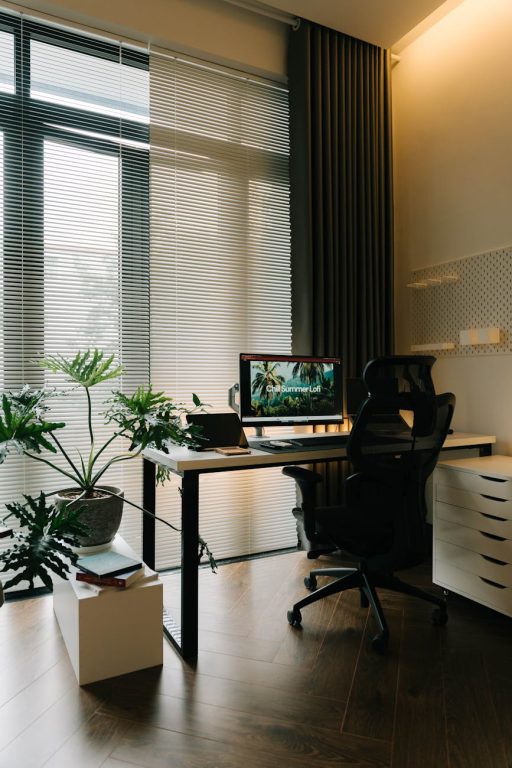
Natural light can improve your mood and energy levels. Position your desk near a window if possible, but take care to avoid screen glare.
Minimize Distractions
Select a quiet space away from noisy areas such as the kitchen or TV room. Use noise-canceling headphones or a white noise machine if needed.
—
Essential Furniture and Equipment
Invest in a Comfortable Chair
A good ergonomic chair supports your posture and reduces back strain. Comfort is key since you’ll spend many hours sitting.
Choose a Suitable Desk
The desk should be the right height for typing and writing. If space allows, a larger surface gives room for monitors, notebooks, and extra supplies.
Use Monitor Stands or Laptop Risers
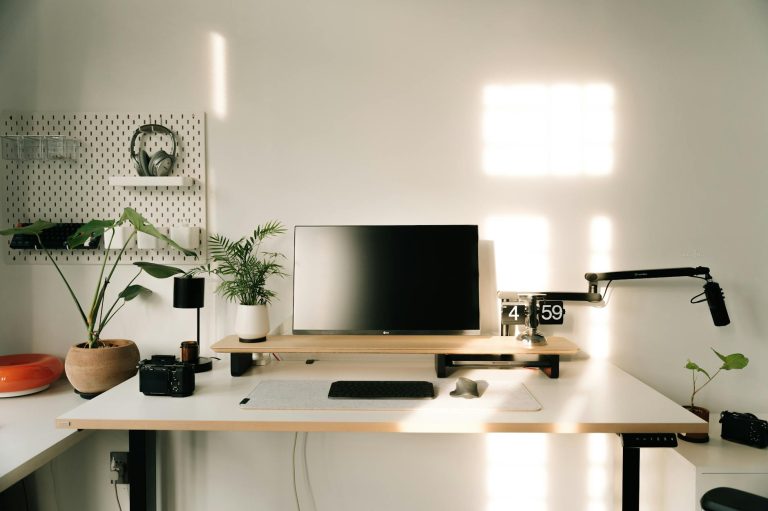
Elevating your screen to eye level prevents neck strain and promotes better posture.
—
Organizing Your Workspace
Declutter Regularly
Remove unnecessary items from your desk daily to keep the area neat. Use a minimalist approach for a calm environment.
Use Storage Solutions
– Drawer organizers: Keep pens, paperclips, and tools sorted.
– Shelves or filing cabinets: Store documents and books neatly.
– Bins or baskets: Corral miscellaneous items.
Cable Management
Avoid tangled cords by using clips, sleeves, or zip ties. A tidy workspace looks more organized and makes cleaning easier.
—
Enhancing Productivity and Focus
Set Up Good Lighting
In addition to natural light, use adjustable desk lamps to reduce eye strain during evening hours.
Personalize Mindfully
Add a few personal items like a plant, photos, or artwork to make your space inviting but avoid overcrowding.
Establish a Routine
Start your workday at consistent times and create rituals to signal the beginning and end of work, such as a short walk or a cup of tea.
Limit Distractions
Turn off non-essential notifications on your devices. Use apps or techniques like the Pomodoro method to manage time efficiently.
—
Maintaining Your Workspace
End-of-Day Clean-Up
Spend a few minutes tidying your area before finishing work. This helps you start fresh the next day.
Review Your Setup Occasionally
Adjust lighting, chair height, or layout as your needs change to keep your workspace functional and comfortable.
Backup Important Files
Organize digital files regularly and use cloud backups to prevent data loss and reduce stress.
—
Final Thoughts
An organized and productive home workspace is achievable with intentional planning and maintenance. By choosing the right location, investing in ergonomic furniture, decluttering, and establishing routines, you can create an environment that supports your best work. Remember that small changes can make a big difference in how you feel and perform during your workday. Start experimenting with these tips today to build a workspace that works for you.
About the Author